A lightweight, elegant screen-edge monitor for your AI coding allowances.
Real-time remaining quotas and rate limits for Claude Code, Codex, Cursor, GitHub Copilot, Antigravity, Grok, and more.
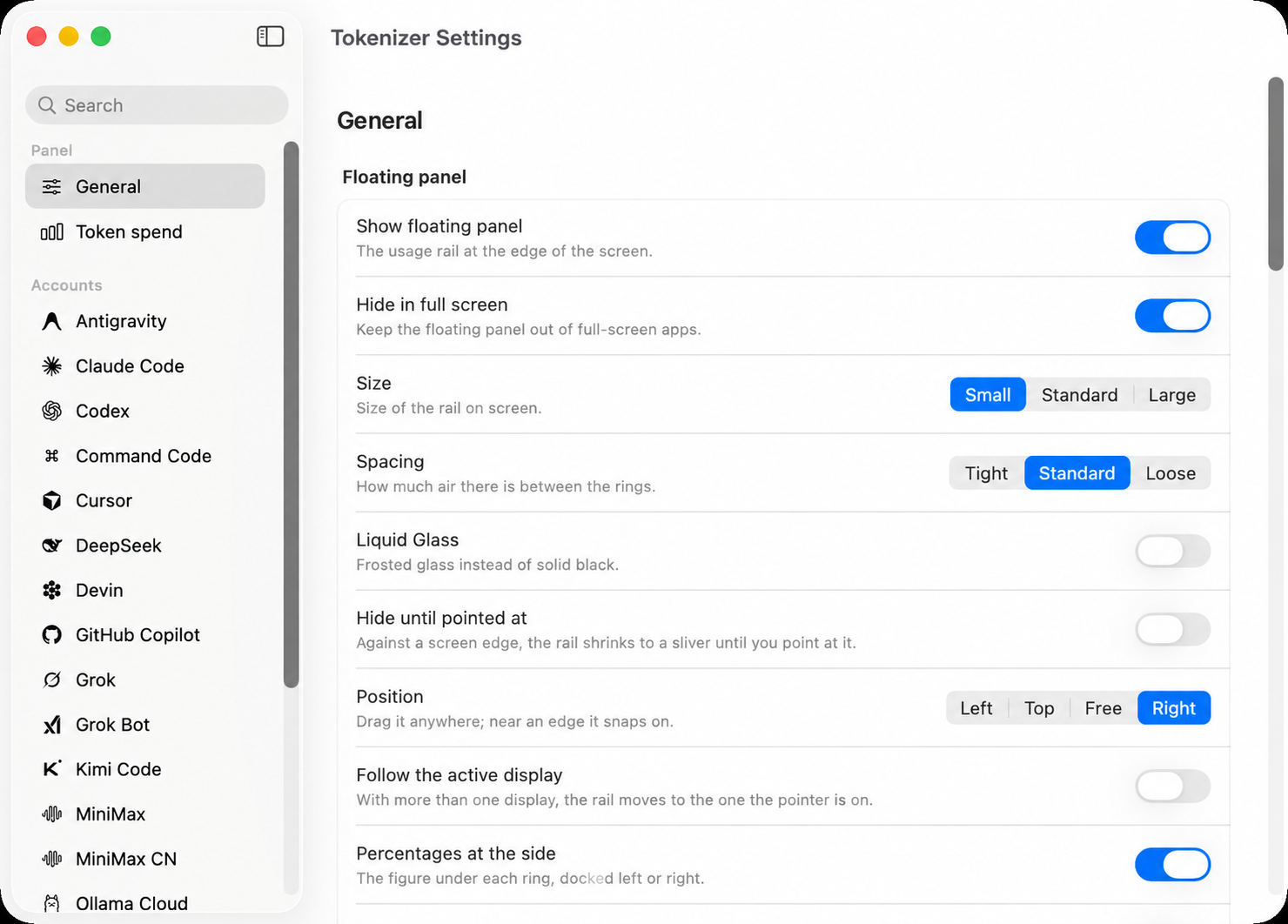
Get running on your Mac in 30 seconds.
Tokenizer is a lightweight, native Swift application. No package managers, no background daemon services, and zero configuration required.
Download the DMG
Download the Universal macOS disk image (compatible with Apple Silicon M1/M2/M3/M4 & Intel Macs).
Drag to Applications
Double-click the downloaded .dmg file to mount it, then drag Tokenizer into the Applications shortcut.
First-Launch macOS Approval (Gatekeeper)
Because Tokenizer is distributed directly outside the Mac App Store, macOS displays a standard security notice on first launch:
"Apple could not verify Tokenizer is free of malware" or "Tokenizer can't be opened because Apple cannot check it for malicious software".
macOS System Settings
- Open System Settings on your Mac.
- Click Privacy & Security in the sidebar.
- Scroll down to the Security section. Under "Tokenizer was blocked from use...", click Open Anyway.
- In the confirmation dialog, click Open.
Terminal One-Liner
Remove the macOS web-download quarantine flag instantly by running this single command in Terminal:
xattr -cr /Applications/Tokenizer.app
Visual allowance monitoring with micro-personality.
Docked neatly along the edge of your screen. Dynamic color shifts alert you from green to amber, red, and deep red as quota runs low.
-
✓
Usage-Aware Color Rings
Rings shift dynamically as allowances diminish, or specify custom accent colors per account.
-
✓
Active Turn Indicator
A subtle revolving dot indicates whether an agent is actively generating responses in real time.
-
✓
Elapsed Window Arc
Secondary outer arc visualizes how much time in the current rate-limit window has passed.
-
✓
Interactive Reactive Marks
Optional animated bots in each ring that react to what that account is doing: working, fetching, spent, or quiet.
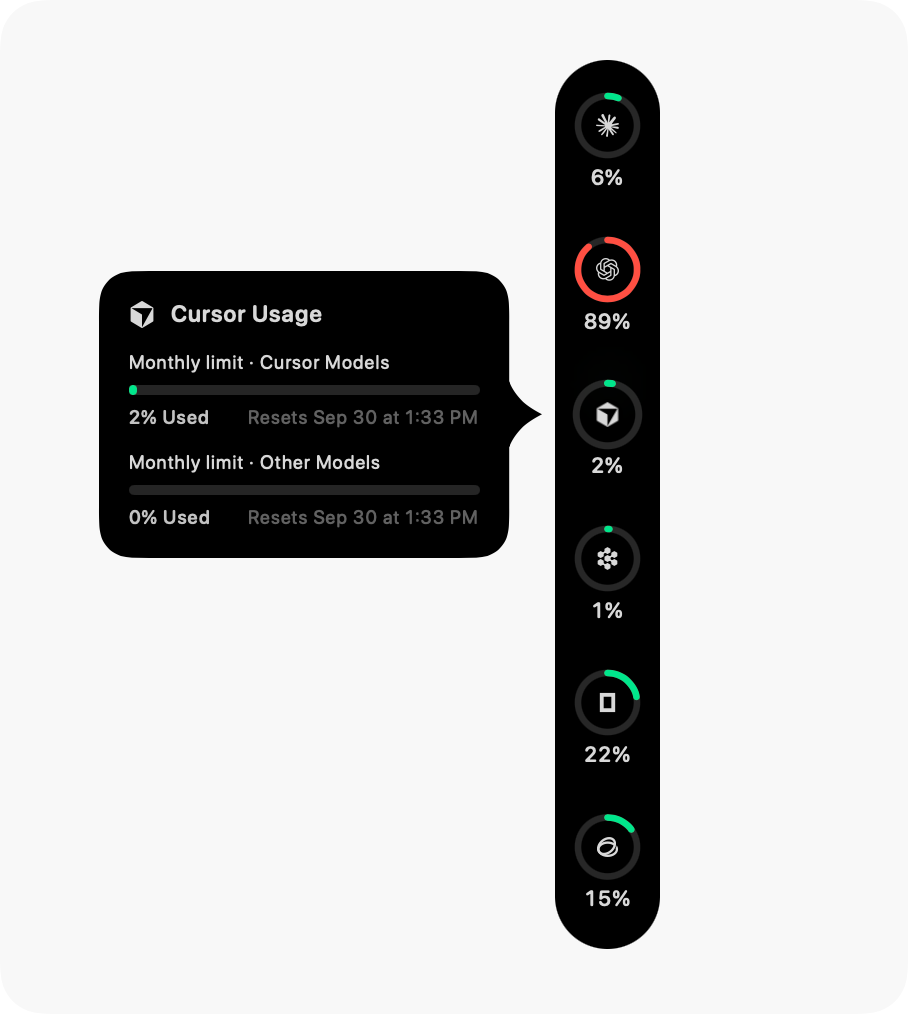
Deep breakdown on hover. Zero disruption.
Hover over any ring to reveal reset countdowns, burn-rate forecasts with estimated time-to-exhaustion (ETA), and per-model token analytics.
-
✓
Complete Limit Breakdown
Every reported quota pool, reset countdown, and current window status displayed clearly.
-
✓
Burn-Rate Forecasting
Calculates whether your current pace will outlast the window, projecting time-to-exhaustion (ETA).
-
✓
Multi-Account Support
Monitor multiple subscriptions for the same provider side-by-side with custom labels.
-
✓
Auto-Collapse & Spaces Native
Folds into a razor-thin sliver when idle, glowing red only when quota is critically low.
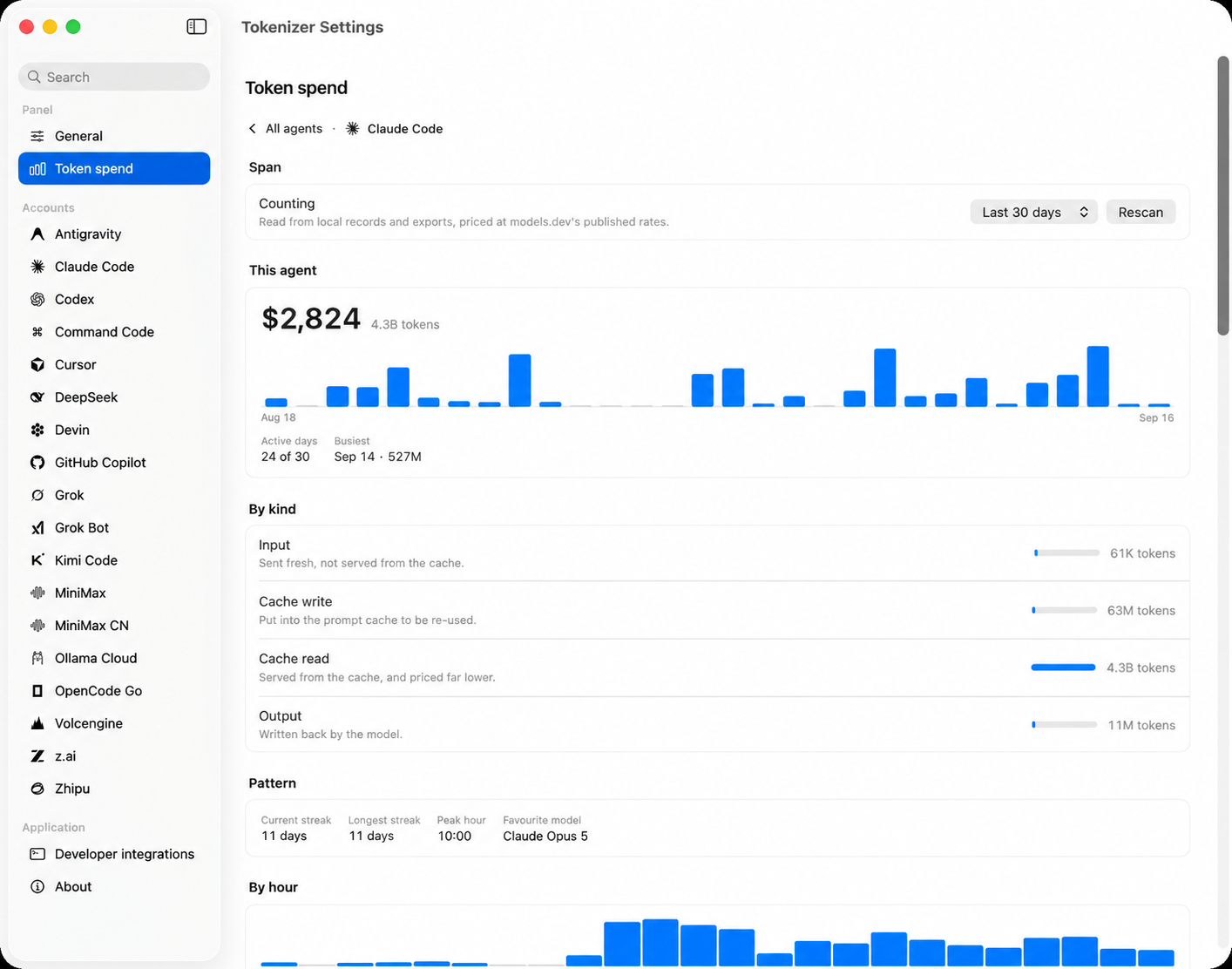
Granular usage statistics across all your models.
Reads local developer transcripts and logs from 54 client sources to compute real-time spend estimates, model token distributions, and historical streak charts.
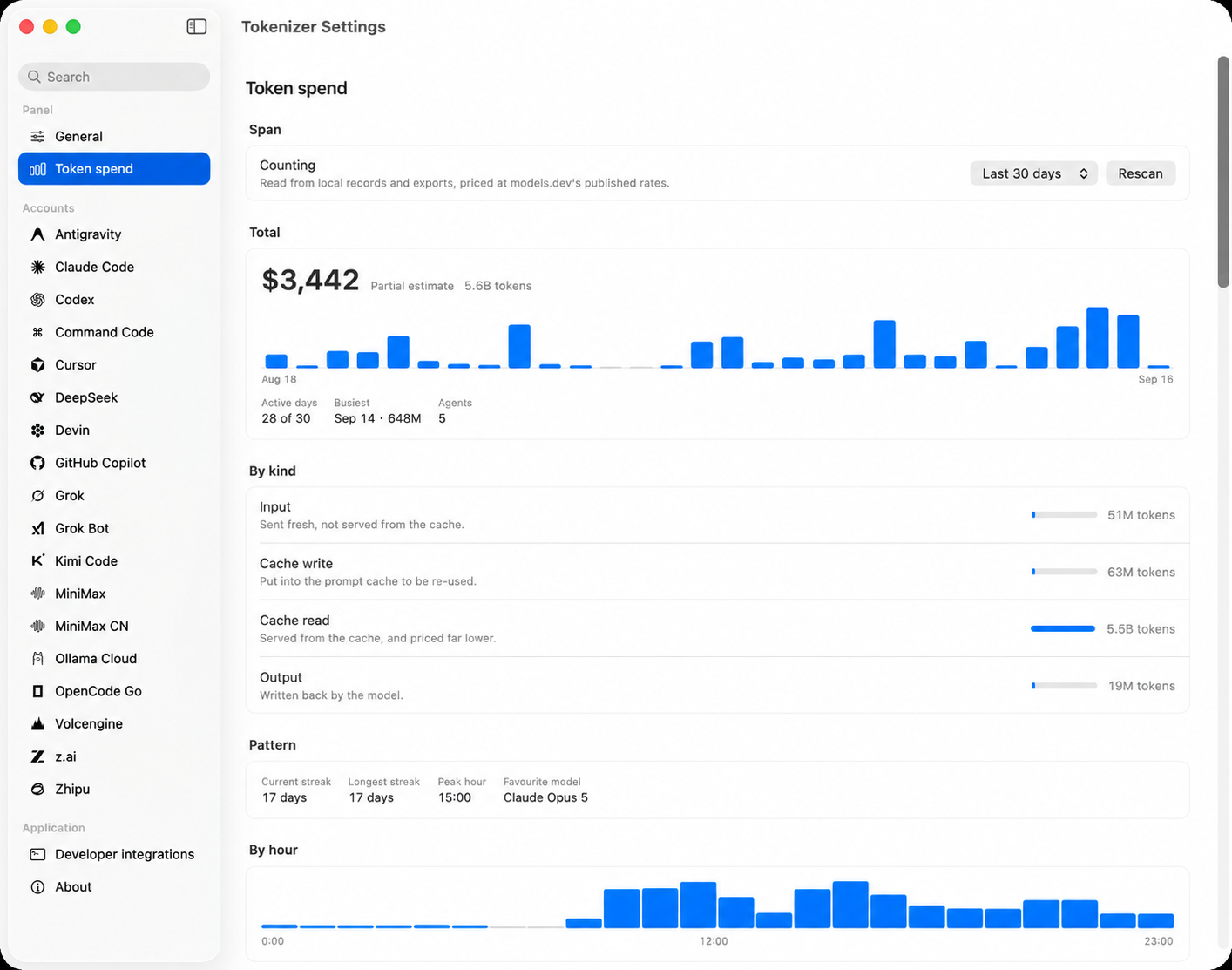
19 Providers. All your coding tools.
Tokenizer reads official local sessions or documented routes with zero third-party telemetry. Every percentage comes directly from the provider itself.
Your data stays yours.
No Tokenizer Backend
Your Mac communicates directly with the providers you already use. There is no middleman server tracking your quotas or requests.
Local Credentials
Tokenizer securely reads existing sessions stored locally by your dev tools (~/.claude, ~/.codex) without uploading credentials.
Encrypted Local Storage
Entered license keys and tokens are sealed using AES-GCM and stored only in Tokenizer's local app support container, tied to your Mac.
No Telemetry
Zero trackers, zero analytics. What you spend and which models you run are processed locally and stay strictly on your machine.
Start local. Scale cloud.
Download Tokenizer for macOS and start tracking your coding allowances in seconds.
Starter Download
Get the Universal DMG and start monitoring your quotas immediately.
- Universal macOS App (Apple Silicon & Intel)
- Real-time floating edge monitor
- Interactive reactive marks
- Basic allowance monitoring
- Local-first encrypted security
Pro License
Unlock all 19 AI providers, 54 spend sources, and automated background updates.
- Full access to all 19 AI allowance providers
- 54 local token spend sources & granular ledger analytics
- Multi-account support for Claude, Codex, Grok
- One-click automated in-app updates via Sparkle
- Up to 5 Mac activations per customer
- Instant automated license key delivery by Dodo Payments
- Priority email support & early feature access
Everything you need to know.
Why does macOS show "Apple cannot check Tokenizer for malicious software" on first launch?
Because Tokenizer is distributed directly from our site rather than the Mac App Store, macOS applies a quarantine flag to downloaded files. Tokenizer is 100% local-first and contains zero third-party telemetry. You can approve it in 5 seconds via System Settings → Privacy & Security → Open Anyway or with xattr -cr /Applications/Tokenizer.app in Terminal. Follow our Installation Guide above.
Where do I get my license key after purchasing?
Dodo Payments displays your license key immediately on the post-payment checkout confirmation page and sends an email copy to your inbox. In Tokenizer, open Settings → License and paste your key to activate.
How does Tokenizer read my remaining quota?
Tokenizer reads from each service's official client routes or local session storage (like ~/.claude or ~/.codex). Every percentage displayed is the exact figure reported by the service itself.
How many Macs can I activate with one Pro license?
Your Pro License permits up to 5 concurrent Mac activations. You can easily deactivate a machine in Settings at any time to transfer your license.
What version of macOS is required?
Tokenizer requires macOS 14.0 Sonoma or newer. Both Apple Silicon (M1/M2/M3/M4) and Intel architectures are supported natively.